 Sabai
กาgaa
Crowกgor gaiาaa

Type Thai with an on-screen Kedmanee keyboard, switch to Shift for more characters, then copy your text. No keyboard installation or account is needed.
Keys insert at your cursor or replace your selection. Delete removes the previous character, including a vowel or tone mark.
Use Shift for the second layer. On a small screen, scroll the keys sideways or choose Alphabet order.
Follow the written order. The dotted circle makes combining marks visible; it is never inserted into your text.
Leading vowels go before the consonant. Upper vowels and tone marks are typed after it. This tool keeps your chosen order.
The chart uses the same key positions as the interactive keyboard. It shows both normal and Shift layers.
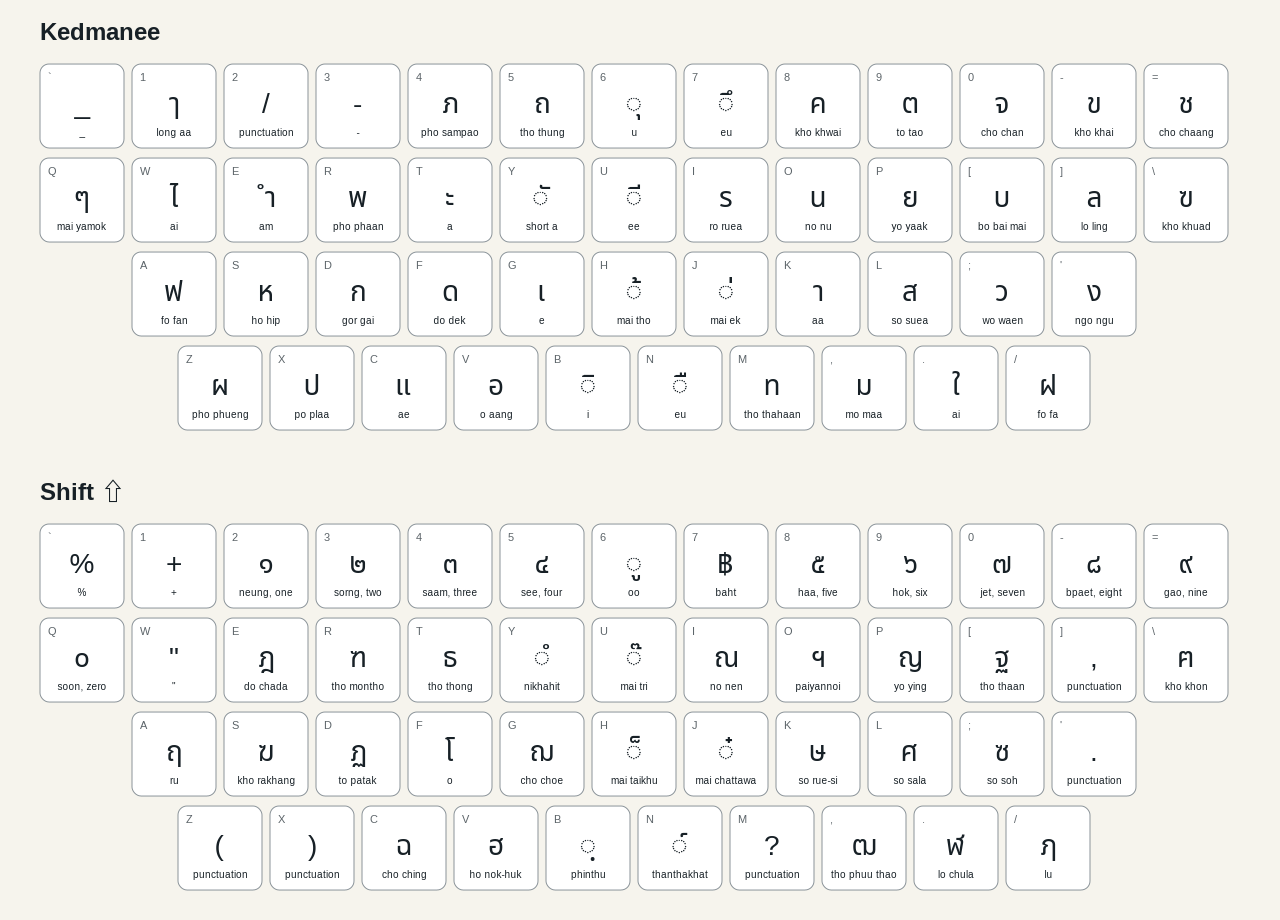
These are learning references. Vowel patterns include a placeholder consonant; use the individual keys above to type a word.
The main layout follows Windows Thai Kedmanee, with normal and Shift layers. Alphabet order is a separate option for finding letters by name.
No. Tap the on-screen keys in this browser. You can also enable physical-key mapping while the text box is focused. Copy the result to use it in another app.
No. It inserts the characters you choose in that order. It does not check spelling, rearrange marks or predict words. Key labels name characters, not the pronunciation of a whole word.
The keyboard edits text in your browser and does not upload it. Copy writes it to your clipboard only when you press Copy. Recordings load when you play them.
 Puki is one of 17 companions in the app.
Meet the rest.